
Most security systems run on mains power. When the power goes out, whether from a storm, a tripped breaker, or planned maintenance from your electricity provider, it raises an obvious question. Is your property still secure?
It depends on your setup. Some systems have battery backup that keeps everything running for hours. Others go completely offline the moment power drops. Knowing what yours does before an outage happens puts you in a better position than scrambling in the dark.
How Most Security Systems Handle Power Loss
Most alarm systems sold in Australia include some form of battery backup. A fully charged backup battery will typically keep a standard alarm panel running for 4 to 24 hours, depending on the age of the battery, the size of the system, and how many sensors it is powering.
The catch is that backup batteries degrade over time. If yours has not been tested or replaced in the last 3 to 4 years, it may only last a fraction of its rated capacity. Some older systems display a low-battery warning on the keypad, but plenty of homeowners miss it or assume it is a fault.
Electronic access control systems, such as keypad locks and card readers, behave differently again. Some are hardwired to mains power with no backup, which means a power cut can leave doors either locked shut or unlocked entirely depending on configuration. If your property uses electronic access control, confirm with your installer how the system behaves during an outage.
What to Do During a Power Outage
Check Your Alarm Panel
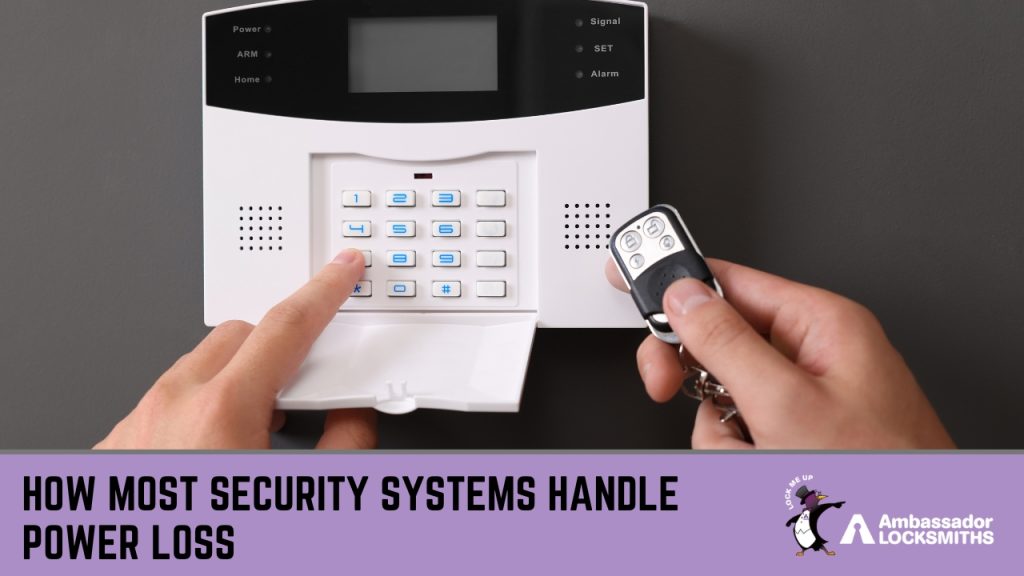
If your alarm has a battery backup, the panel should still be lit and operational. Walk over to the keypad and check for any warning messages. If the screen is blank, the backup battery is either flat or not installed. Make a note of this so you can address it once power returns.
Secure Entry Points Manually
This is where physical locks become your primary line of defence. Make sure all external doors are locked with a key-operated deadlock, not just a snib or latch. Check that windows are closed and locked, particularly on the ground floor and any windows accessible from a flat roof or balcony. If your deadlocks and window locks are in good shape, your home is still physically secure even without an alarm. If they are not, that is worth getting sorted sooner rather than later.
Avoid Opening and Closing Doors Unnecessarily
If your alarm is running on battery backup, every sensor trigger draws power. Opening and closing doors repeatedly will drain the backup battery faster. Keep movement through entry points to a minimum until mains power is restored.
Use Lighting Strategically
A dark property is more appealing to opportunistic intruders than a well-lit one. If you have battery-powered motion sensor lights or a torch, place them near entry points. Even a lamp visible through a front window gives the impression someone is home.
What to Check Once Power Comes Back
When the power returns, most alarm systems will restart automatically. But restarting does not always mean returning to normal.
Start at the alarm panel. Clear any fault codes or low-battery warnings. If your system has a test mode, run it to confirm all sensors are communicating with the panel. Open and close each monitored door and window to check the panel registers the activity.
If your system connects to a monitoring service, call to confirm they are receiving signals from your property. Extended outages can cause communication faults, especially if the system relies on a phone line or internet connection that was also affected.
Check your backup battery voltage if your panel displays it. A healthy battery should recharge fully within a few hours. If it does not, or if the low-battery warning persists, the battery needs replacing. Most alarm batteries last 3 to 5 years and cost $30 to $80.
How to Prepare Before the Next Outage
The best time to think about power cuts is before they happen. A few steps now can save you real worry the next time the lights go out.
Have your alarm system serviced annually. A technician will test the backup battery, check sensor alignment, and confirm the panel firmware is current. This is especially important for older systems nearing end of life.
Make sure your physical security does not rely entirely on electronics. A quality deadlock on all external doors and sturdy window locks throughout the property mean your home is protected even when the alarm is offline. Mechanical locks do not need batteries, do not need Wi-Fi, and do not go offline in a storm.
If your property uses an electronic access control system, ask your installer about fail-safe versus fail-secure configuration. Fail-safe locks unlock when power is lost (common in commercial buildings). Fail-secure locks remain locked (common in residential settings). Knowing which you have removes the guesswork during an outage.
Consider a small uninterruptible power supply (UPS) for your alarm panel if your area experiences frequent outages. A UPS provides cleaner, longer-lasting backup than the built-in battery and costs between $100 and $250 for a unit suitable for a home alarm.
Physical Security Is Still Your Foundation
Electronic alarms, cameras, and smart locks are useful tools. But they share a common weakness: they need power. When the power goes out, your deadlocks, window locks, and security screens are what stand between your property and an intruder. If you are in the Newcastle or Lake Macquarie area and want to review your physical security, get in touch with Ambassador Locksmiths. We have been helping local homes and businesses with locks, access control, and security hardware since 2000. Call 0407 452 424 any time.